Our data
How to set a ticket price alert on NeedATicket
By NeedATicket · Published
Name who you are following, add your email and an optional budget, then confirm from your inbox. Step by step, with what happens next.
1. Find the form
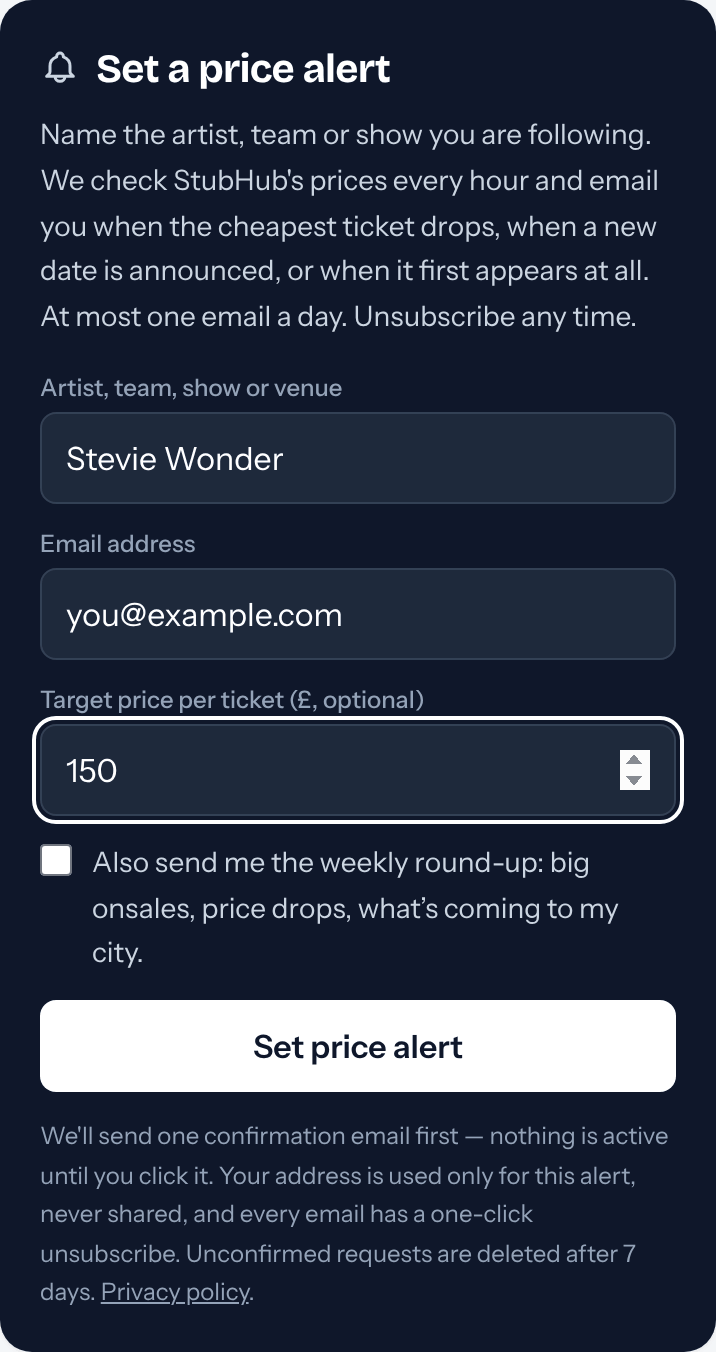
Every event page, artist page and big-event page has a "Set a price alert" box, and the price alerts page has one too. On an event page the alert is for that show; on an artist page you can pick any date, one city or one show.
If the show you want is not on our site yet, use the form on the price alerts page and type the name of the artist, team, show or venue. The alert waits and emails you the day it appears.
2. Fill it in
Add your email address. If you have a budget, put it in "Target price per ticket"; we will only email you when the cheapest ticket falls below it. Leave it empty to hear about any fall.
On an event page you can also say how many tickets you need. The weekly round-up box is separate and never ticked for you.
3. Confirm it from your inbox
We send one email with a confirmation link. Nothing is active until you click it, and a request nobody confirms is deleted after 7 days. If it is not in your inbox, check your spam folder.
4. What happens next
We read StubHub's cheapest listed price every hour. When it falls, below your budget if you set one, you get an email with the new price and a link to the event page. That is at most one email a day per alert.
Prices are listing prices; StubHub adds its booking fees at checkout. An alert does not hold a ticket, and the price can move between our checks.
5. Changing or stopping an alert
Every alert email has a one-click unsubscribe at the bottom. To see all your alerts in one place, ask for a manage link on the price alerts page and we will email it to you.
Sources
- NeedATicket: price alerts (primary source)
Written by NeedATicket from our own price records and pages.